
Case study · Studio product
Alana POS
Make the cashier and kitchen workflow visible before choosing a POS.
A studio product with public cashier and kitchen demos that make the restaurant workflow easier to evaluate.
Discuss a similar project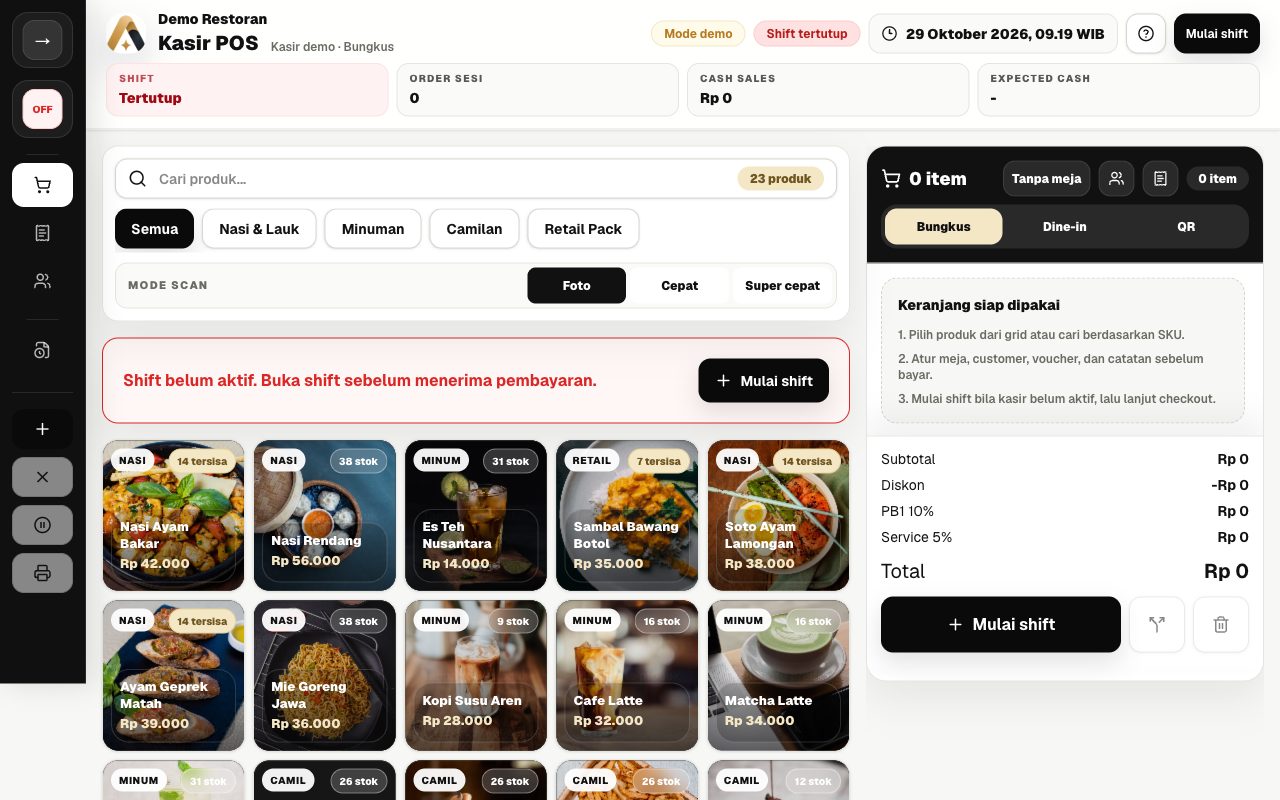
The problem to solve
A list of POS features does not show how a cashier prepares an order or how kitchen staff read it. Business owners need to evaluate the working surfaces before agreeing on an outlet setup.
Who it serves
Restaurant and cafe owners evaluating cashier, kitchen, table-ordering, and daily operational needs.
Our contribution
Soft Labs Tech developed the Alana POS product experience, including role-oriented interfaces, public operational demos, and the guided path from evaluation to outlet setup.
Decisions behind the experience
Separate working surfaces by role
Cashier, kitchen, customer ordering, and owner reporting have dedicated demo entry points. Each person can evaluate the information relevant to their task.
Show operational prerequisites
The cashier demo shows shift status, product categories, a cart, and totals. The closed-shift state explains that a shift must start before payment.
Make the demonstration boundary explicit
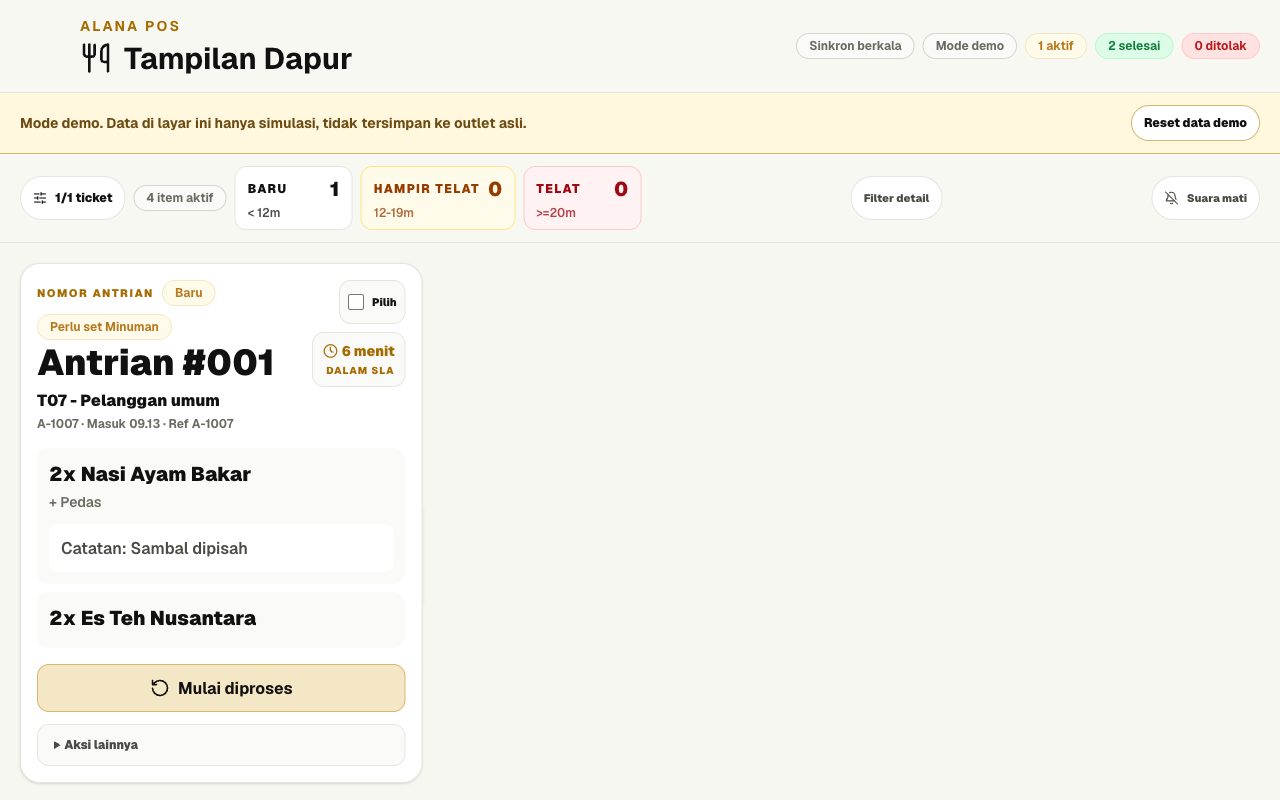
The kitchen demo labels its orders as simulated and states that they are not saved to a real outlet. Evaluation can happen without representing demo figures as customer results.
Follow the public journey
Review the restaurant scenario
Open the demo overview to see the intended roles and the setup discussed for a restaurant branch.
Open this stepExplore the cashier surface
Inspect the shift state, product categories, cart, and tax/service total breakdown in the public demo.
Open this stepInspect the kitchen board
Review simulated tickets, item notes, and preparation actions on the dedicated kitchen screen.
Open this step
What you can review today
Prospective users can inspect the cashier and kitchen interfaces directly, including demo labels and operational states, before discussing their own outlet requirements.
Scope of this review
Screenshots contain simulated products and orders. This review did not process a real payment or verify synchronization between separate devices, receipt hardware, customer adoption, or revenue impact.